Learning & careersNo. 17
A portfolio that brings in work: what I put on my site, and why
The decisions behind moghalis.com, for anyone building a first portfolio: your exact role, numbers you counted, systems a client can open, and what to leave out.


In this article
In June 2026 the home page of the first version of this site said: "Real systems built for real business operations." Under that line sat three projects. None of them had a link that opened, a status, or a word about which part was mine.
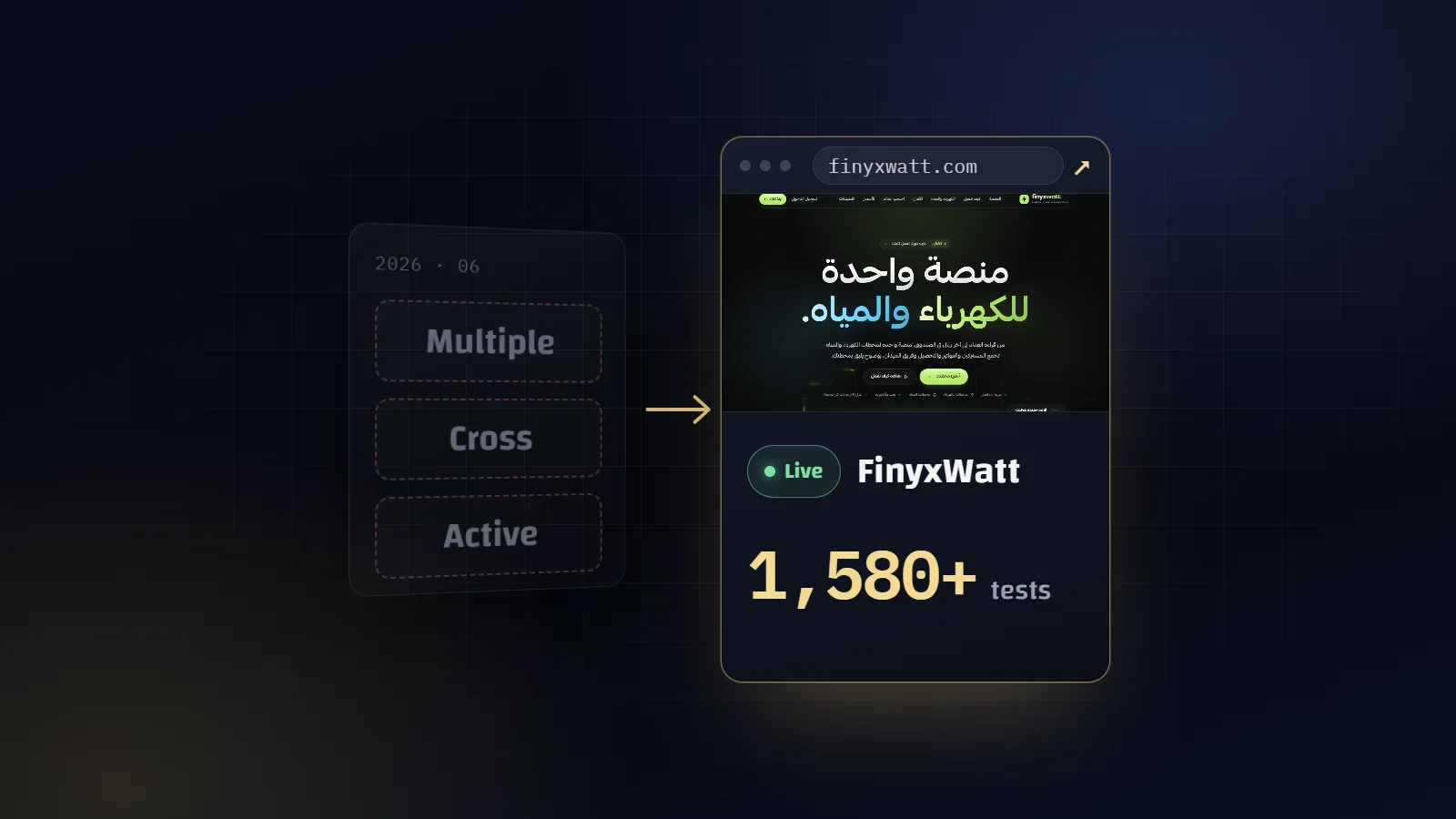
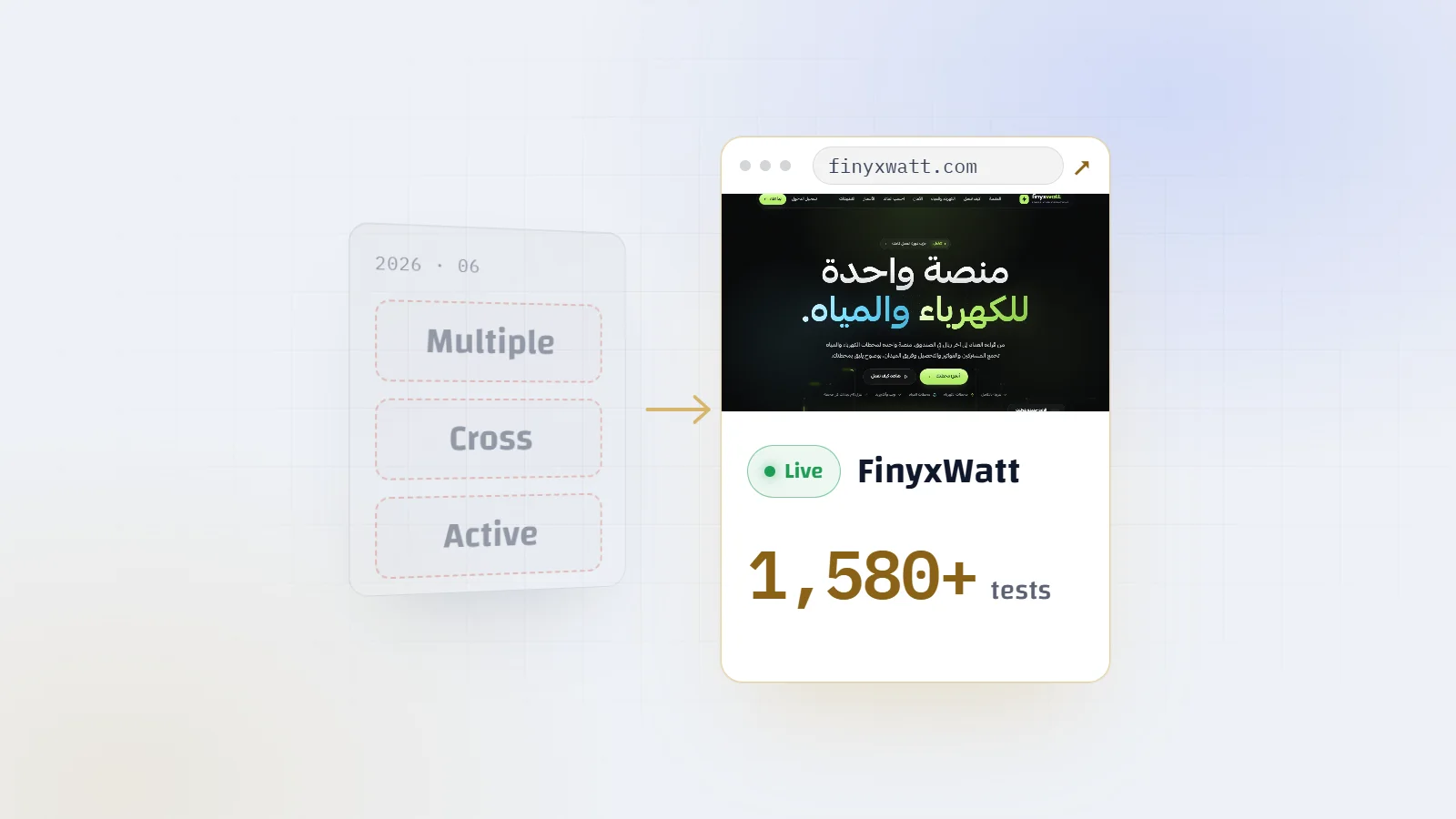
Near the top of the page was a row of five figures. Three of them were not numbers at all. They read "Multiple", "Cross" and "Active".
The first of those projects was real. It is the platform I now call FinyxWatt. In June its description said the system "helps organize daily operations, reduce manual work". Today its page says: four connected apps, about 270,000 lines of code, more than 1,580 automated tests, 107 database migrations, and a button that opens finyxwatt.com.
This article goes through what I put on my site and why, decision by decision, with the reasons taken from its code and its history. By the end you will know what makes a portfolio believable to a client who has never met you, what to leave out on purpose, and how to build your first one even if you have a single project.
In short
- A portfolio is evidence, not adjectives. Each project says what you did, shows a number you counted, and links to something that opens.
- What you leave out matters as much. A client is named only with consent, and no screenshot carries anyone's private data.
- Pages in your clients' language, quick on a phone, with writing that shows how you think, turn a visitor into a message.
A client cannot check an adjective
"Scalable", "premium" and "reduced manual work" cost nothing to write, so they prove nothing. A client reading your page has one question: can this person build what I need? Every line either helps answer it with something that can be checked, or it is noise.
When I rebuilt the site in October, I put the rule at the top of the file that holds every project: each number in it (lines, tests, tables, endpoints) was counted from the project's own source, and outcomes are stated as shipped facts, never as invented business metrics.
The rest of the site follows it. Each case study opens with a strip of three or four numbers, and the type that defines that strip says "real numbers only". The skills page lists more than 120 skills, and each one links to the projects that use it. The site shows that count as the evidence, instead of a percentage I gave myself. A skill that no project proves is not listed, and a check in the build makes sure of it:
for (const skill of group.skills) {
  if (skill.projects.length === 0) {
    console.error(`✗ skill "${skill.name.en}" has no supporting project`)
    failures++
  }
}
17
projects on the site, each with its status
10
live, each with a link that opens
4,700+
automated tests counted across them
120+
skills, each linked to the projects that use it
Tip
Count something real for each project: screens, database tables, tests, pages, a load time. "12 screens and 40 tests" tells a client more than "a complete, scalable system".
Say exactly what you did, and what you did not
Every project on the site has a line called "My role". Most of mine say "Sole engineer" and then list what that covered: the API, the database, the apps, the deployment. The useful ones are the exceptions. For Al-Marasim's ordering app, the line says I built the ordering app, the checkout and the integrations "on an initial scaffold", because someone else started it.
That precision costs nothing and buys a lot. A client who later learns you did a third of a project you presented as yours will doubt everything else on the page. A client who reads "I built the checkout on a scaffold someone else started" believes the rest.
The same goes for status. Every project carries one of three words, so a prototype can never pass for a live system:
Two of the seventeen are prototypes, made for a demo or a tender, and they are on the page anyway, labelled as such. Your first portfolio can do the same. "A tutorial project I extended with sign-in and tests" is an honest line, and it is still worth showing.
Link to the live system, not only to screenshots
A screenshot takes an afternoon to make. A system that answers when a client opens it is much harder to fake. So every live project has a "Visit the live site" button, and the home page has a section that lists the eight systems in production, each with its link.
The data enforces this: a project gets a link only when it is live and safe to share. The four delivered systems have no public link, and their status says so instead of hiding it.
Screenshots still matter, because a lot of good work sits behind a login. On this site each one was checked before it went up: no real customer names, phone numbers, balances, tokens or logos of clients who have not agreed to be named. A gallery for a system without a public link carries a note that its screens use test or demo data.
For your first portfolio, put something online, however small. A working link on a free hosting plan does more than ten polished images.
Show less than you know
The hardest decisions on the site were about what to leave out. A client is named only when their system is public and they agreed. Every other system is described by what it does: "a network operations platform I built", "an event ticketing platform". The work is just as real, and the client's name stays theirs.
The same rule covers everything you might paste in to look impressive: internal addresses, keys, a client's data, a former employer's code. If you are not sure you may show something, describe it in words. A clear description of a system you cannot show is still evidence: the problem, your part, one decision you made, and one number.
Watch out
Never publish a client's or an employer's code, data or screens without written permission. One leaked phone number costs more trust than any project can earn back.
Fast, in your clients' language, at a real address
My clients are Arabic-speaking businesses, so the site has two full versions. Arabic is not a translation behind a button: every page has its own address under /ar. A check compares the English and the Arabic of every case study and fails the build if their shapes differ, so an Arabic page can never be a thinner copy of the English one.
Every page is also written out as finished HTML when the site is built, a step called prerendering. The commit that added it gives the reason: search engines and link previews in WhatsApp, LinkedIn and X mostly do not run JavaScript, so until then every page looked like the home page to them. Each section now has its own preview image in each language, kept under 300 KB so WhatsApp shows it. A link that arrives with the right title and picture is a link that gets opened.
Speed is part of the first impression. Measured with the browser imitating a phone with a CPU four times slower, the home page kept the main thread (the part of the browser that runs the page's code and answers every tap) 98% busy while it sat still, and the first paint took 1.6 seconds. After every animation moved to the graphics card, it was about 18% busy and painted in 0.7 seconds. The whole hunt is in the article on GPU-only motion. Your portfolio is the one project every client is sure to try, on their own phone.
Write down how you think
Case studies show what you built. Writing shows how you decide, and that is what a client is really paying for. This blog follows one rule: every article comes from work that is live, and every number in it was measured or comes with its source.
Two more pages earn their place. The résumé is a page at /resume, set to print on exactly two A4 pages in both languages. It reads the same data as the case studies, so it never falls behind them, and a recruiter can open it like any link. And when a client is ready, the proposal arrives as a private page on the same site, with phases, prices and terms. How I run client projects explains that page and why it prevents most arguments.
You do not need a blog to start. One honest paragraph per project, about a problem you hit and how you solved it, does the same work.
Your first portfolio, in one weekend
You do not need seventeen projects. You need two or three that a stranger can check. Choosing them is its own skill, covered in choosing a first real project. Presenting them takes a weekend.
- Reads one linewhat you build, and for whom
- Opens a projectyour role, a number, the status
- Clicks the linkthe system answers
- Messages youone tap, in their language
For each project, write:
- One sentence: what it does and for whom.
- Your role, exactly, including what someone else did.
- One to three numbers you counted, and the date you counted them.
- Its status: live, delivered or prototype.
- A link that opens, or one line on why there is none.
- Two or three screenshots with test data.
- The code on GitHub, with a README that says how to run it.
Then make contact one tap away. Two of the business sites I built send their quote requests and orders straight to WhatsApp, because that is where those businesses already work. So this site offers WhatsApp next to e-mail, and it hides any profile that has no address yet, so it never shows a dead link.
The checklist
- Replace every adjective with something a client can check: a number, a link, a screen.
- Count your numbers from the code or the logs, and note the date.
- Write your role for every project, including the parts you did not do.
- Give every project an honest status, and show unfinished work as unfinished.
- Link to live systems. Where there is no link, say why.
- Name a client only with consent. Describe the others by what the system does.
- Check every screenshot for names, phone numbers, balances and keys.
- Publish in the language your clients read, with each language at its own address.
- Send your own link in WhatsApp and open the page on a cheap phone before anyone else does.
- Write one paragraph per project about a problem you solved.
- Make contact one tap away, and remove every link that leads nowhere.
A portfolio does not have to be big to bring in work. It has to be true, and easy to check.
Every project in this article has its own page under my work.
Share